


Floating TV Unit Buying Guide

A floating TV unit is one of the easiest ways to create a clean, modern living room. Because it sits off the floor, it can make your space feel lighter, more open and easier to clean.
Before choosing a floating TV unit, it is worth planning a few practical details first. The main things to consider are your wall type, installation method, cable layout, storage needs and TV size.
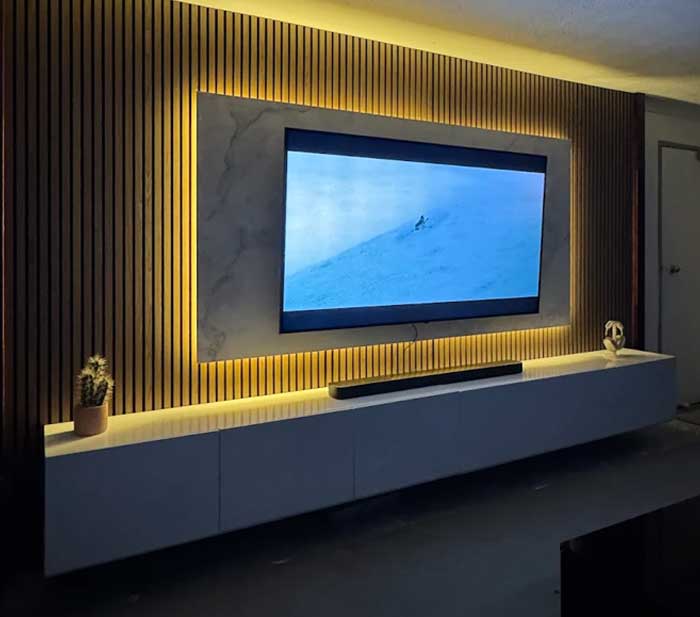
A floating TV unit can be a stylish and practical choice for many Australian homes when the wall type, fixing method and installation requirements are suitable.
Important: Retro Designs floating TV units must be wall mounted by a qualified tradesman. Correct installation helps ensure the unit is mounted according to the wall type, fixing requirements and intended use.
Installation note: This guide provides general buying information only. Final installation requirements depend on the product, wall type, fixing points, site conditions and the assessment of the qualified tradesman completing the installation.
Looking for products now? Explore our full range of floating TV units or compare other styles in our wall-mounted TV units collection.
Why Floating TV Units Need Planning
Unlike a floor-standing TV cabinet, a floating TV unit is supported by the wall. This is what creates the sleek wall-mounted look, but it also means the wall and installation method matter.
A qualified tradesman can assess your wall type, locate suitable fixing points and choose the right fixing method for your home.
Planning ahead also helps with cable management. If you want a clean entertainment setup with fewer visible wires, it is best to think about power points, antenna points, media devices and TV placement before the unit is installed.
1. Check Your Wall Type
Different wall types need different installation methods. Before installing a floating TV unit, your tradesman should check what type of wall you have.
| Wall Type | What to Know |
|---|---|
| Timber stud wall | The unit should be fixed into structural studs where available. |
| Metal stud wall | Requires suitable fixings and careful assessment by the installer. |
| Brick or masonry wall | Usually strong, but still needs the correct wall anchors and fixing method. |
| Plasterboard wall | Plasterboard is a surface lining and should not be treated as structural support. |
| Older wall | The installer should check the wall condition before mounting the unit. |
Wall strength is not always visible, so it is best checked before installation.
2. Fix Into Studs Where Available
For timber or metal framed walls, fixing into studs where available is important. Studs provide stronger support than plasterboard alone.
A floating TV unit should not be installed into plasterboard only. Plasterboard is a surface lining and is not the same as structural support.
The unit should be fixed into suitable support, such as:
- wall studs
- brick
- masonry
- suitable reinforced backing
- another appropriate load-bearing structure
The right method depends on your wall type, the product and the installation location.
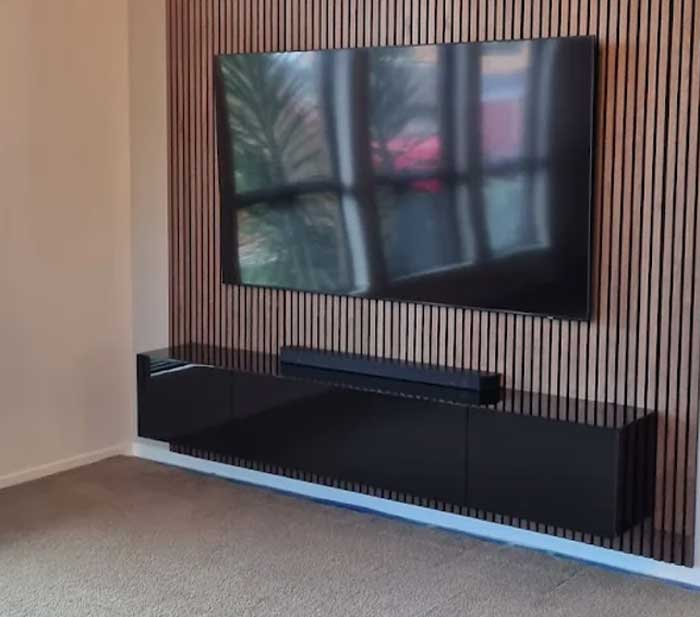
3. Use a Qualified Tradesman
Retro Designs floating TV units must be wall mounted by a qualified tradesman.
This is important because a professional installer can check:
- wall type
- stud location
- wall condition
- suitable fixing points
- correct fixing method
- cabinet level and alignment
- cable access
- whether extra wall preparation is needed
This helps achieve a cleaner, more secure and longer-lasting installation.
For larger floating TV units, such as 2.4m TV units, 3m TV units or longer wall-mounted designs, qualified installation is especially important because the unit spans a wider section of the wall.
4. Plan Cable Management Before Installation
One of the biggest reasons customers choose a floating TV unit is the clean, uncluttered look. To achieve this, cable management should be planned before installation.
Retro Designs floating TV units are designed to help create a neater entertainment setup. Each door section includes a cable hole at the back, so cables from media devices, gaming consoles, modems and other electronics can be routed more easily.
The back panel also features a recessed design. This allows cables to run behind the unit while the outer back edge can still sit flush against the wall, helping the cabinet maintain a clean wall-mounted appearance.
Before mounting the unit, think about:
- where your power points are
- where the antenna point is
- where the TV will sit
- whether the TV will be wall mounted or placed on the unit
- where gaming consoles, modems and media boxes will go
- whether cables will run behind the unit or inside the wall
- whether you need space for a soundbar
Good cable planning helps reduce visible wires and makes the finished setup look more polished.
5. Allow Space for Electronics
A floating TV unit is often used to store entertainment devices such as gaming consoles, media players, modems, routers and speakers.
Before choosing a unit, check whether it has enough space for the devices you use.
Also think about ventilation. Some electronics can generate heat, so they should not be packed too tightly into enclosed spaces.
Helpful things to check:
- cable holes
- internal storage space
- drawer or door clearance
- airflow around electronics
- access to power boards
- space for future devices
This helps keep your entertainment area practical, not just visually clean.
6. Think About Storage and Everyday Use
A floating TV unit can still offer useful storage, but it should be used sensibly.
It is best suited for everyday entertainment items such as:
- remotes
- small accessories
- media players
- gaming controllers
- light décor
- cables
- manuals
- small electronics
Avoid overloading the cabinet with very heavy items. Like any wall-mounted furniture, it should not be climbed on, pulled on or used as a seat.
This is especially important in family homes where children may be around the entertainment area.
7. Choose the Right Size Floating TV Unit
A floating TV unit should usually be wider than the TV. This creates better balance and makes the setup look more intentional.
| TV Size | Suggested Floating TV Unit Size |
|---|---|
| 55 inch TV | Around 1.8m or wider |
| 65 inch TV | Around 2.0m to 2.4m |
| 75 inch TV | Around 2.4m to 3m |
| 85 inch TV | Around 3m or wider |
The right size also depends on your wall width and room layout.
A longer floating TV unit can create a premium built-in look, especially on a wide feature wall. A smaller unit may work better in apartments, bedrooms or compact living rooms.
For more help choosing by TV size, read our TV unit size guide, or view our guides for 65 inch TVs, 75 inch TVs and 85 inch TVs.
8. Floating TV Unit vs Floor-Standing TV Unit
A floating TV unit is a great choice if you want a clean, modern and spacious look.
It may suit you if:
- you want a wall-mounted design
- you like a clean modern style
- you want more visible floor space
- you want easier floor cleaning
- your wall is suitable for installation
- you are arranging qualified installation
A floor-standing TV unit may be better if:
- you are renting
- you do not want to drill into the wall
- your wall is not suitable for mounting
- you want easier relocation later
- you need heavier storage
- you prefer a simple place-and-use setup
Both options can look beautiful. The right choice depends on your home, wall type and how you want to use the space.
If you prefer a floor-standing design, explore our TV units, white TV units or long TV units.
9. Pre-Purchase Checklist
Before buying a floating TV unit, use this quick checklist.
| Question | Why It Matters |
|---|---|
| What type of wall do I have? | Helps determine the correct fixing method. |
| Can the unit be fixed into studs, brick or masonry? | Helps create stronger support. |
| Who will install it? | Retro Designs floating TV units must be installed by a qualified tradesman. |
| Where are the power points? | Affects cable visibility and access. |
| Where will media devices sit? | Helps with storage and ventilation planning. |
| What size is my TV? | Helps choose the right cabinet width. |
| How wide is my wall? | Helps the unit look balanced in the room. |
| Am I renting? | You may need approval before drilling into the wall. |
Key Takeaway
A floating TV unit can make your living room feel cleaner, more modern and more spacious.
The best result comes from choosing the right size, checking the wall type, planning cable management and using a qualified tradesman for installation.
Final reminder: Retro Designs floating TV units must be wall mounted by a qualified tradesman. Correct installation helps ensure the unit is mounted according to the wall type, fixing requirements and intended use.
Ready to compare designs? Shop our floating TV units, explore wall-mounted TV units, or compare larger options in our long TV units collection.
Floating TV Unit FAQs
Can any wall hold a floating TV unit?
Not every wall is suitable. The wall needs suitable support, such as studs, brick, masonry or another appropriate load-bearing structure. Your tradesman should check the wall before installation.
Do I need a qualified tradesman?
Yes. Retro Designs floating TV units must be wall mounted by a qualified tradesman. This helps ensure the unit is installed using the right method for your wall type.
Can I install a floating TV unit into plasterboard?
A floating TV unit should not be installed into plasterboard only. Plasterboard is a surface lining and is not the same as structural support. Your tradesman should confirm the correct fixing method.
Should the unit be fixed into studs?
Where available, yes. Fixing into studs provides stronger support than plasterboard alone. For brick or masonry walls, suitable wall anchors and fixings should be used.
What is the recommended way to install a floating TV unit?
The recommended approach is to have the unit wall mounted by a qualified tradesman using suitable fixings for your wall type. The installer should check the wall structure, locate suitable fixing points and confirm the correct installation method before mounting the unit.
Can cables be hidden behind a floating TV unit?
Yes. Retro Designs floating TV units are designed with cable management in mind. Each door section includes a cable hole at the back, and the recessed back panel allows cables to run behind the unit while the outer back edge still sits flush against the wall.
What size floating TV unit should I buy?
As a general guide, 1.8m suits many 55–65 inch TVs, 2.4m suits many 65–75 inch TVs, and 3m or wider is better for larger TVs and wider feature walls.
For more guidance, see our TV unit size guide.
Is a floating TV unit suitable for renters?
It depends on your rental agreement and whether you have permission to drill into the wall. If you are renting, check with your landlord or property manager before buying or installing a floating TV unit.
